


 InHome
 InHome
 A unified solution for DME order management
From submitting orders to coordinating deliveries and payments, Synapse Health portals support prescribers, DME providers, and patients.

A modern DME experience that benefits everyone
Discover one connected system, with shared visibility and dedicated portals for each phase of the DME process.

Reliable, accurate orders
Submit orders in minutes, get real-time documentation updates, and automatic routing to best-fit DME providers.

Less administrative burden
We handle coverage checks and documentation, reducing denials and time-consuming follow-up.

Better patient experience
We coordinate patient outreach and scheduling, and work closely with your team to keep the patients informed.

How the Synapse InHome process works
Prescribers and DME providers use the portals below to initiate, process, and deliver DME orders.


The prescriber or DME provider submits a new order via the Synapse Connect portal, or by fax, email, or EHR.
Synapse verifies insurance, checks documentation, and matches the patient with the right provider.


DME provider operations staff uses the Synapse Fulfill portal to confirm stock, process approved orders, or resolve any issues.
We monitor the portal via two-way messaging, providing clarification and resolving issues as needed.


DME delivery specialists use the Synapse Deliver portal to coordinate final delivery to the patient.
We keep the patient informed via the Patient Portal, and release payment when delivery is confirmed.
Explore portal features
Connect portal
For DME providers and prescribers
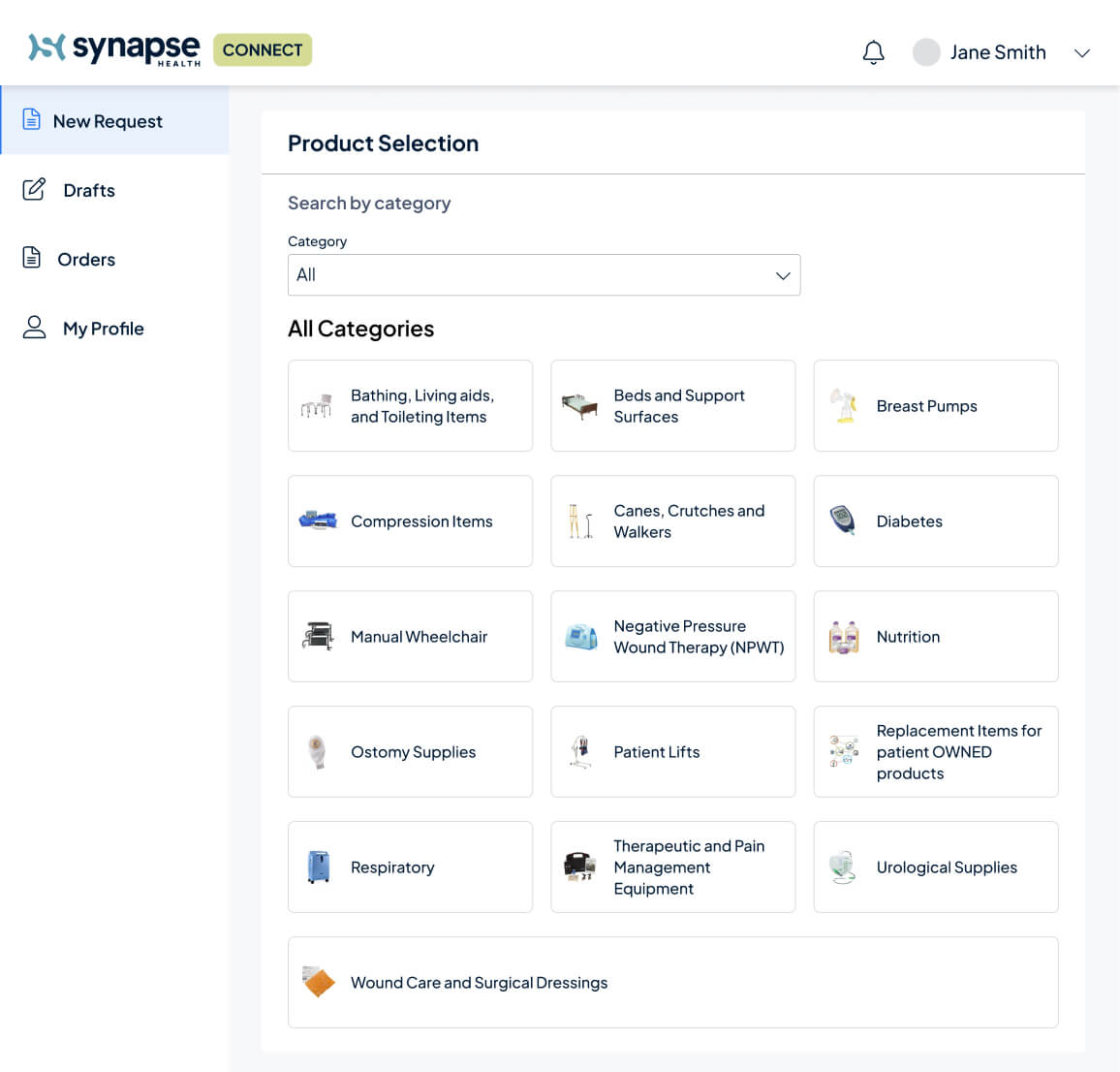
Prescribers and DME providers input orders into Connect for Synapse to initiate verification and order coordination.
Providers and prescribers upload scripts, clinical documentation, and other support needed to validate and qualify the order.
Providers can flag incomplete information, correct entries, or note issues before the order moves ahead.

Fulfill portal
For DME providers
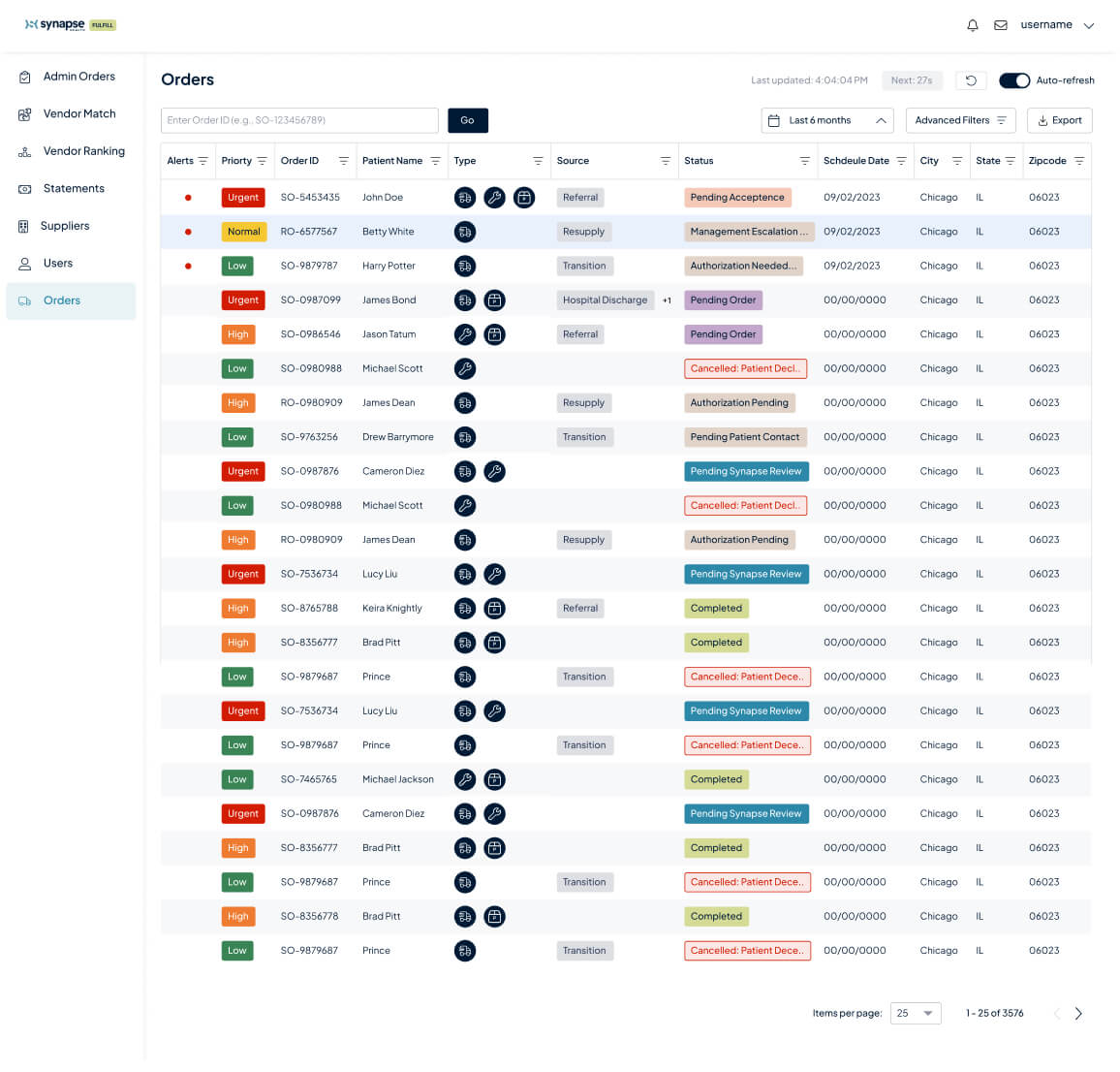
Vendor partner partners update order progress following Synapse review--including delivery, pickup, and service scheduling, inventory coordination, and any potential order delays.
An integrated hub that enables seamless data exchange between Synapse and vendor partners for order status updates, inventory confirmation, scheduling, and issue resolution.
Handles repairs, returns, and resupply needs throughout the order lifecycle.
For Fulfill portal training, please email dmeprovidersupport@synapsehealth.com
Deliver portal
For DME providers and delivery technicians
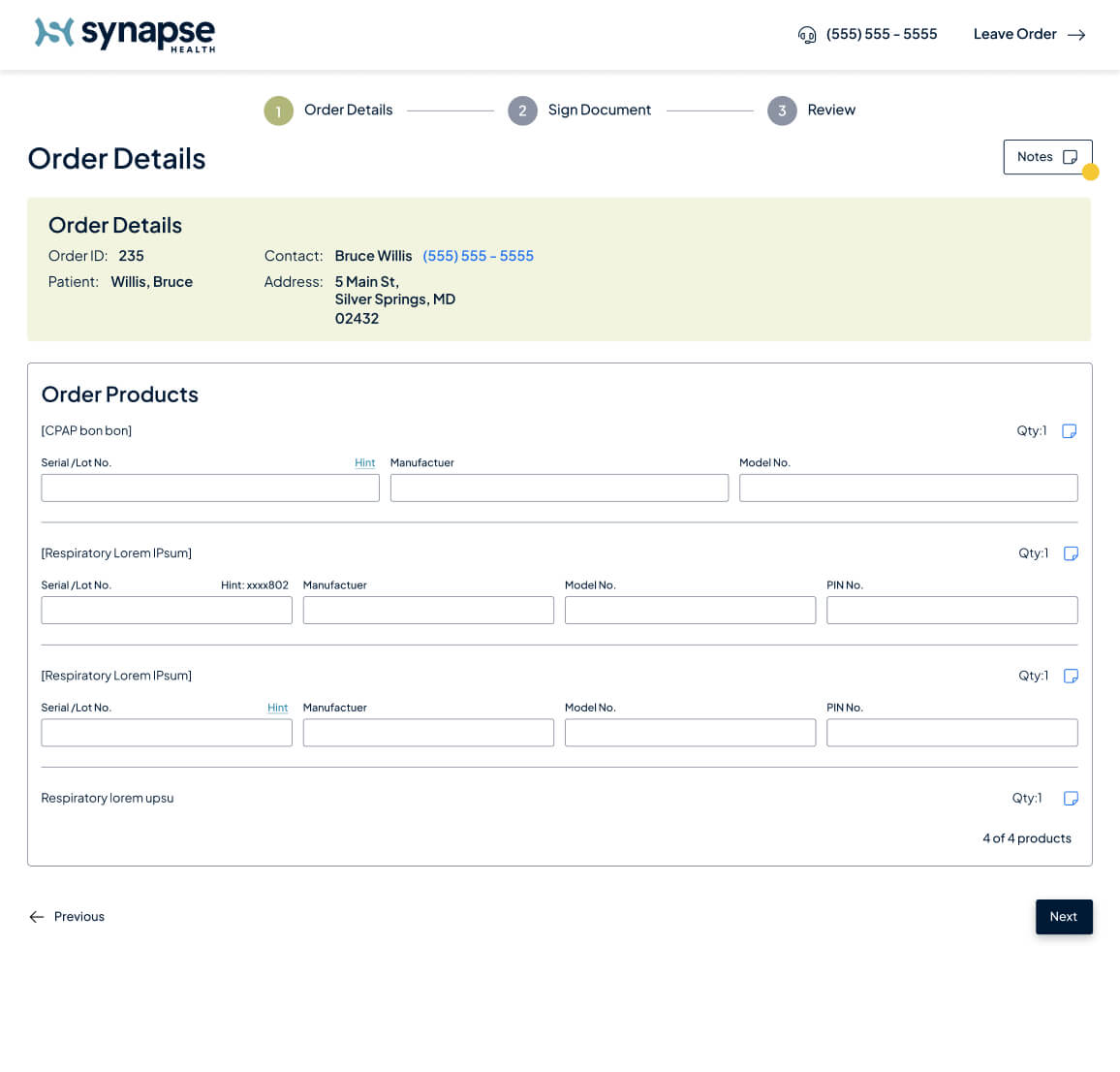
Supports both in-person and virtual delivery workflows to meet patient and operational needs.
Securely captures delivery confirmations—via digital signatures, photos, or electronic acknowledgments—to ensure compliance and maintain accurate records.
Delivery confirmation signals order completion and initiates payment processes.
For Deliver portal training, please email dmeprovidersupport@synapsehealth.com
Patient portal
Each of the provider portals is linked to Synapse Patient portal, providing timely updates to reduce misunderstandings and improve customer satisfaction.
Helping patients stay informed at every step
In addition to order updates, patients can easily update delivery information, sign required forms, pay for orders, and manage their DME resupply.
Learn more


Answers to Common Questions
Who can enter patient DME orders?
Authorized clinical staff — Nurse Practitioners (NPs), Physician Assistants (PAs), nurses, and Medical Assistants (MAs) — may enter orders into the Synapse Health portal. Once submitted, the system automatically routes the order to the prescriber for signature, and prescribers can sign without logging in, including via mobile.
How does Synapse Health choose which DME provider to route orders to?
Synapse Health prioritizes subcontracted DME providers based on:
- Geographic proximity
- Product availability and pricing
- Patient or prescriber preference
- DME provider performance
For questions, you can contact:
- Hospital prescribers: hospitalsuccess@synapsehealth.com
- Outpatient prescribers: outpatientsuccess@synapsehealth.com
- DME providers: dmeprovidernetwork@synapsehealth.com
How do I sign up for the Connect portal?
Go to connect.synapsehealth.com, click “Create Account”.
1. Choose your role:
- Physician (NPI required)
– Create/Cancel DMEPOS orders
– Grant permissions to users who will assist with order creation or submissions
– Review and sign DMEPOS orders created by you, your staff, or any referral source
- Staff member
– Create/Cancel DMEPOS orders
– Request access to a physician’s orders
– Access tools to help complete referrals
- Referral source
– Request DMEPOS
– Submit documentation to complete DMEPOS orders
2. Find facility (optional): Use the “Facility Look-up” function to locate your organization in the national registry
3. Enter user information: Personal Information, Username, Contact Information and Password
4. Complete verification for security
5. Registration complete: Use your username and password to login to the Connect portal: connect.synapsehealth.com
Does the Connect portal cost anything to use?
No. The Connect Portal is free for all prescribers, staff, and DME providers.
Am I still able to submit DME orders by fax, email, or phone?
Yes. Synapse Health accepts orders through multiple channels:
- Fax: 1.888.690.5329 (outpatient) / 1.888.518.4433 (hospital discharge)
- Email: neworder@synapsehealth.com
- Phone: 888.336.9363
Who should I contact with questions?
Order-related questions (hospital & outpatient prescribers):
- Phone: 888.336.9363
- Chat support: Available Mon–Fri, 8 AM–6 PM EST in the Connect Portal
Prescriber training & general support
- Hospitals: hospitalsuccess@synapsehealth.com
- Outpatient Clinics: outpatientsuccess@synapsehealth.com
Training options: live training, videos, and realtime chat support.
DME Provider support
- Network updates, profile changes, onboarding: dmeprovidernetwork@synapsehealth.com
Where can my staff receive training on these portals?
Please request training through:
- Hospitals: hospitalsuccess@synapsehealth.com
- Outpatient clinics: outpatientsuccess@synapsehealth.com
- DME providers: dmeprovidernetwork@synapsehealth.com